Equipment / Practical guide
Wired vs. Wireless Security Cameras for a Business
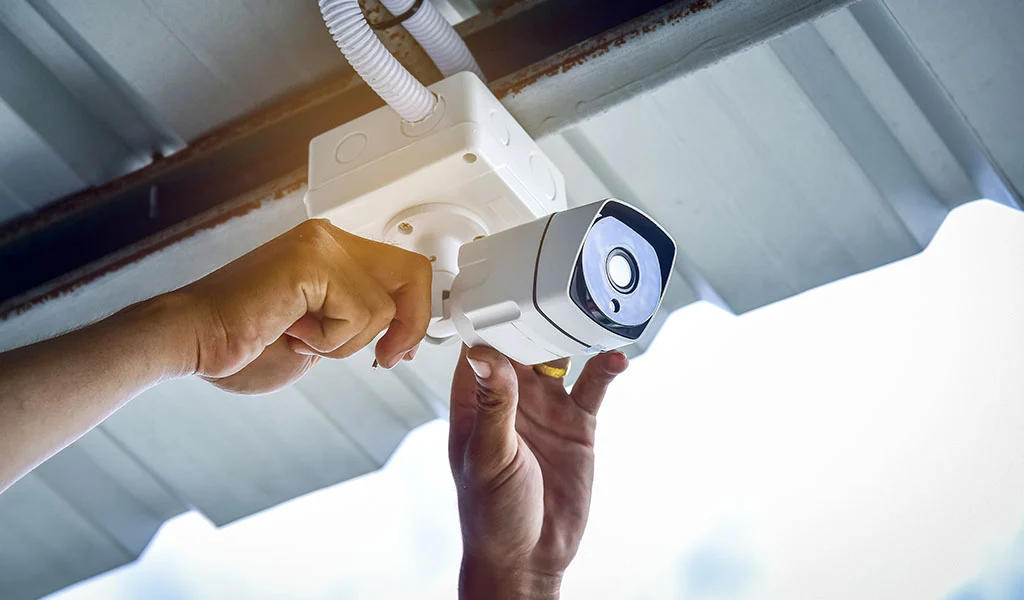
Wireless security cameras still need power. That single detail changes many installation plans. Some use batteries, some need a nearby outlet, and others connect through equipment that has its own power and cabling requirements.
For a business, the useful comparison is the complete path from camera to recording, not whether a cable is visible beside the camera. A wired connection, a Wi-Fi connection and a dedicated wireless bridge solve different problems.
What a wired camera installation involves
A common IP camera arrangement uses Ethernet cable to a network switch or recorder. With compatible Power over Ethernet equipment, one cable carries both data and power. The switch needs enough power capacity for the connected devices, and the cable route must suit the building and installation conditions.
Wired cameras are often a practical starting point for permanent coverage. They do not depend on the strength of a Wi-Fi signal at each camera location. They do still depend on working cables, connectors, power and network equipment. A poorly protected outdoor termination can undermine an otherwise sensible design.
In an existing shop or office, the cable route may be the difficult part. Ask an installer to inspect ceiling access and building transitions before promising a particular installation method. Network cabling planning should happen alongside camera placement.
Where wireless can make sense
A wireless connection can be useful when a cable path is difficult or a temporary location needs coverage. It must be tested where the equipment will actually operate. A strong phone signal near the front desk says little about a camera beyond a metal storage room.
Check the link with doors closed and the business operating normally. Other wireless traffic, walls and changing conditions can affect performance. Adding more cameras also adds traffic. A demonstration with one camera is not proof that the finished system will work equally well.
Separate buildings deserve special attention. A purpose-designed bridge may be an option, but its suitability depends on the path, mounting, power and network design. It is different from expecting an ordinary indoor access point to reach a distant building. Cable or fiber may be more appropriate after a site survey.
Ask what an outage actually stops
Internet service, local networking and recording are separate parts of the system. A properly configured local recorder may keep recording while the internet connection is down. Remote viewing can still be unavailable during that outage. A cloud-dependent product may behave differently.
Get written answers for the proposed equipment:
- Does it record when the internet connection fails?
- Where is footage stored if a camera loses its network link?
- What happens when power returns?
- Which devices need backup power to keep the intended functions running?
- Are there subscription or storage limits?
Test those answers during handover rather than discovering them after a failure. Our remote viewing guide explains the separate checks for off-site access.
Choose by location, not by slogan
There is no reason every camera on a property must use the same connection method. A wired interior and a carefully designed link to an outbuilding may be the right combination. Battery cameras may suit a limited task while creating an unacceptable maintenance burden for another.
Start with a coverage plan and mark power and cable access for each location. Smart Control can assess camera and cabling requirements for businesses in Greenville, Spartanburg, Anderson and nearby areas. The result should be a documented connection plan, with the assumptions and limitations clear before equipment is ordered.