Operation / Practical guide
Remote Camera Viewing: Access Without Shared Passwords
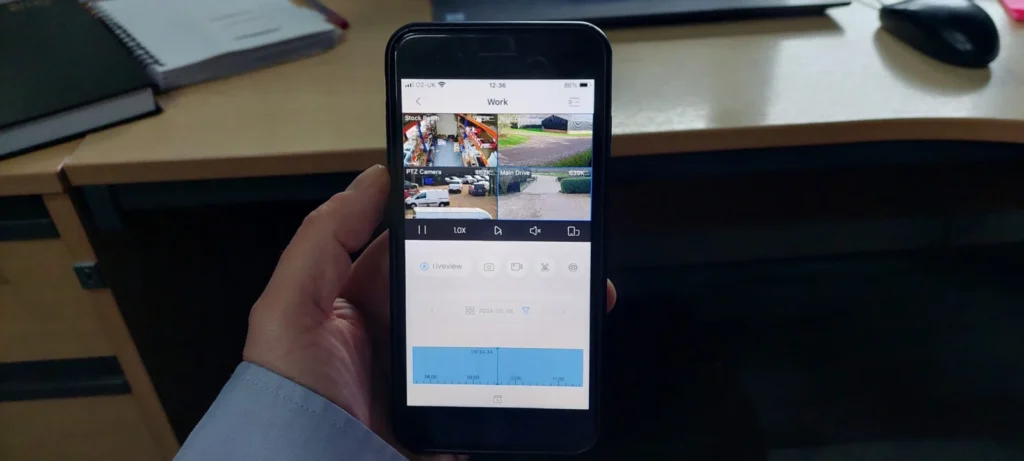
Being able to open a camera app is convenient. Being able to control who has access is just as important. A business remote viewing setup should let the right people find footage without passing one administrator password between managers, staff and contractors.
Before choosing an app or enabling off-site access, write down who needs live video, recorded playback, exports and system administration. A person who occasionally checks a delivery does not necessarily need the ability to erase recordings or change camera settings.
Keep account ownership with the business
Use business-controlled account details and recovery methods. If an installer creates the initial account, include ownership transfer in the handover. Confirm who receives password reset messages and what happens when the employee responsible for the system leaves.
Create individual accounts where the platform supports them. Use unique passwords and enable multifactor authentication when available. CISA's Secure Our World guidance recommends strong passwords, multifactor authentication and software updates as basic account protections. These practices apply to camera management accounts as well as other business systems.
Review access periodically and remove accounts that are no longer needed. An old contractor's login should not remain active simply because nobody remembers why it exists. Keep a record of authorized users separate from any document containing sensitive credentials.
Understand the connection method
Ask how the proposed platform handles remote access and updates. Some systems use a vendor service; others use a managed network connection. Features, dependencies and subscription terms vary by product.
Do not make a camera or recorder directly reachable from the internet merely to get an app working. Have the access method configured for the specific platform and network. The installation scope should explain ongoing support, update responsibility and any service the connection depends on.
If several sites will share a management account, check that users see only the locations they need. A regional manager and a tenant should not automatically receive the same permissions.
Test from outside the building
Turn off the phone's Wi-Fi and test using a cellular connection. Confirm live viewing, playback and a small export if exports are part of that person's role. Repeat the test with a non-administrator account so excessive permissions do not hide a configuration problem.
Also establish what happens during an internet outage. A local recording system may continue recording while off-site viewing is unavailable, but the behavior depends on the design. Test and document it. The wired versus wireless guide explains why internet access and local recording are separate questions.
Notifications need their own checks. A working live feed does not prove alerts will arrive with the app closed or the phone in its normal notification mode. Assign a person to review alerts and define what they should do with them.
Protect the recordings you export
Treat downloaded clips as business information. Store them in an approved location, share them only with authorized recipients and follow the property's retention process. A clip saved to a personal phone can be harder to control than footage left in the recorder.
Keep the system time accurate and document exports connected with an incident. Our retention and access guide gives a practical structure for those decisions.
Smart Control can include user setup and remote viewing checks in a camera installation scope. For an existing system, provide the camera platform, number of locations and access problem when requesting an assessment. Never send passwords through a general contact form.