Operation / Practical guide
AI Camera Alerts: Set Rules People Can Act On
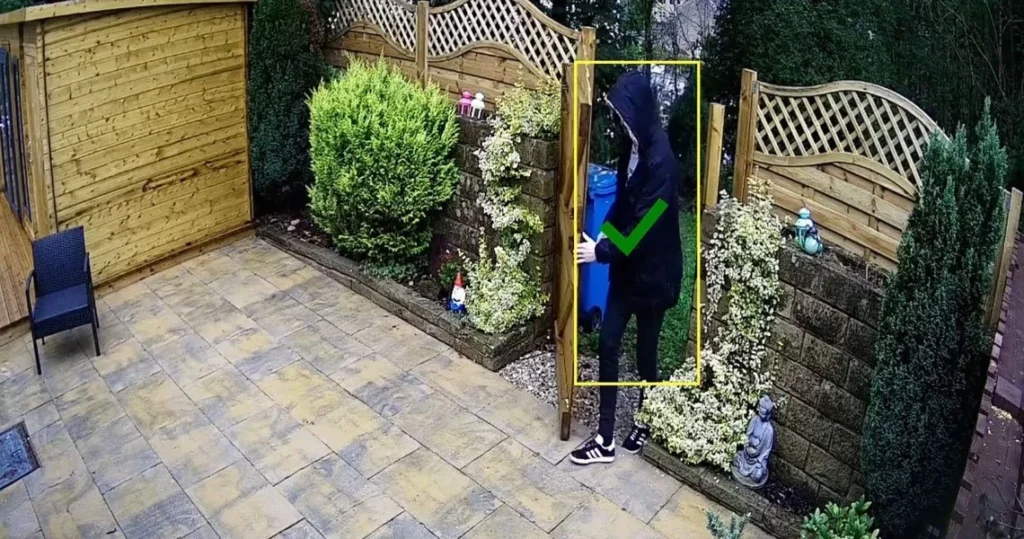
An alert is useful when someone knows why it arrived and what to do next. A camera that sends dozens of irrelevant notifications every evening can be less helpful than a simple rule focused on one restricted entrance.
Person and vehicle detection can reduce some unwanted motion alerts, depending on the equipment and conditions. It is still a classification tool with limits. It does not establish a person's identity or intent, and it does not guarantee that every event will be detected.
Describe the event before choosing the feature
Write a rule in ordinary language: "Notify the closing manager if a person enters the fenced storage area after the business is closed." That sentence identifies an area, a schedule, a recipient and an event worth checking.
Compare it with "Alert whenever something moves." The second rule may include passing traffic, animals or activity that the business expects. Narrow the detection area to the part of the image that serves the purpose. Keep neighboring property and public movement outside it where possible.
For a property with changing hours, decide who updates the schedule. A well-configured rule can become noisy when holiday hours, cleaning crews or deliveries change.
Test the installation, not just the feature name
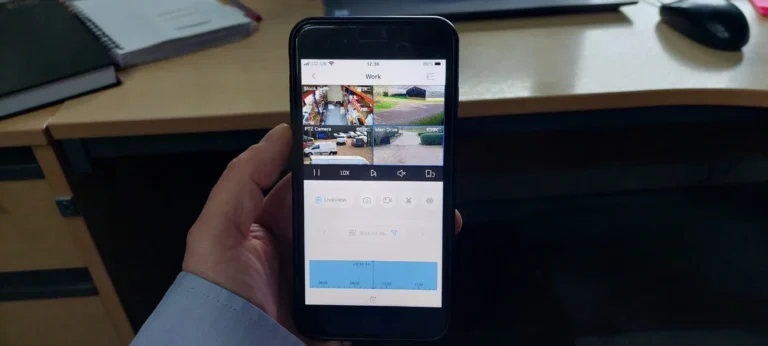
Ask for a controlled walkthrough of the detection area. Include the approaches that matter, different distances and nighttime conditions. Check whether the alert shows enough context for a person to assess the event.
Product capabilities differ. Confirm the exact camera, firmware, recorder and license requirements against the manufacturer's documentation. If analytics run in one device but notifications come from another, both parts need testing.
Keep a log of missed events and irrelevant alerts during an initial tuning period. Adjust one variable at a time so you can understand the result. Do not treat a successful demonstration on one afternoon as evidence for every weather or lighting condition.
Give notifications an owner
Decide who is expected to review alerts during each time window. Establish a backup when that person is unavailable. A push notification is not the same as a contracted monitoring service with a defined response procedure.
Use practical response steps:
- Open the relevant view and check the surrounding footage.
- Distinguish an authorized activity from an unexplained event.
- Follow the property's escalation procedure.
- Preserve relevant recordings if an incident needs review.
- Record repeated nuisance alerts for later adjustment.
Employees should not be expected to confront an unknown person because an app sent a message. Response arrangements belong in the site's wider security plan.
Keep recording and account access in view
Confirm how alerts relate to recording. Some designs record continuously; others rely on events or use a combination. If an event is missed, an event-only design may leave less context available. Choose the approach with that tradeoff understood.
Restrict who can change detection rules and schedules. Review the remote access checklist before sharing an app login. Also check that event times agree with the recorder and other relevant systems.
For a business in Upstate South Carolina, bring the problem area, operating hours and intended response to a commercial security discussion. Smart Control can assess camera and network requirements within the agreed project scope. Start with one meaningful alert rule and prove that it works before expanding it across the property.