Planning / Practical guide
How Many Security Cameras Does Your Business Need?
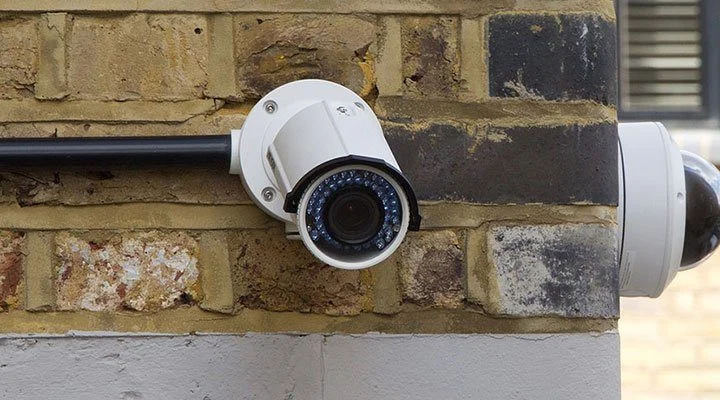
Count the views you need before counting cameras. A small business with several entrances and a loading area may need more carefully chosen views than a larger open room. Square footage alone cannot tell you how many security cameras to buy.
Make a simple floor plan and give each proposed camera a purpose. If you cannot explain what a view needs to show, pause before adding hardware.
Separate an overview from a detail view
A wide image is useful for following movement through a space. It may not provide enough detail to distinguish someone at the far end. An entrance camera can serve a different purpose by concentrating on a smaller area where people pass.
Consider a shop with one public entrance and a rear delivery door. A room overview can help explain the sequence around a missing item. A focused view at each door can help establish who entered and when. One wide camera aimed across the whole shop might leave all three tasks only partly covered.
The same applies outside. A parking overview is not automatically a reliable license plate view. If plates are a requirement, treat that as a separate design task and read the license plate camera guide.
Check the view from the proposed mounting position
Mounting higher can reduce easy interference, but a very steep angle may show mostly the tops of heads. A lower position may provide useful detail while needing better physical protection. Choose the compromise for the actual location.
Before drilling, inspect the frame for shelves, signs, open doors and landscaping. Think about what will move into the space later. A camera that looks clear in an empty building can become obstructed when stock arrives.
Ask for a sample at the intended distance and framing. Looking at a product's promotional image is less useful than seeing a person walk through your doorway. The test should use recorded footage because recording settings can differ from a live display.
Plan for changing light
A glass entrance, headlights and a dark loading area create different conditions. Check the important views after dark, with normal business lighting and with any closing-time lighting changes. Watch moving subjects rather than judging only a still scene.
Axis explains how motion, light and image settings affect useful detail in its image quality guidance. That is why a higher resolution specification alone cannot settle camera placement.
Use a coverage worksheet
For each view, record:
- The question the recording must answer.
- The area and distance that matter.
- The mounting position and likely obstructions.
- Daytime and nighttime lighting conditions.
- The cable and power route.
- Any privacy boundary that must stay outside the frame.
Then look for gaps between views. Can you follow a person from the delivery entrance to the stock area? Are there transitions where an event becomes impossible to reconstruct? Some overlap may be useful, but duplicate views without a clear purpose add cost and storage needs.
Leave room for a measured adjustment
Final positioning should be checked after furniture, signs and normal operations are in place. Document the accepted view so that later maintenance can reveal whether a camera has shifted. Revisit the plan after a remodel or a change in how the property is used.
Smart Control's camera installation service starts with the property and required coverage. Bring a marked-up floor plan and a short list of priority views when you request a quote. That is more useful than selecting a camera package by quantity alone.