Planning / Practical guide
Where Cameras Fit in a Business Security Plan
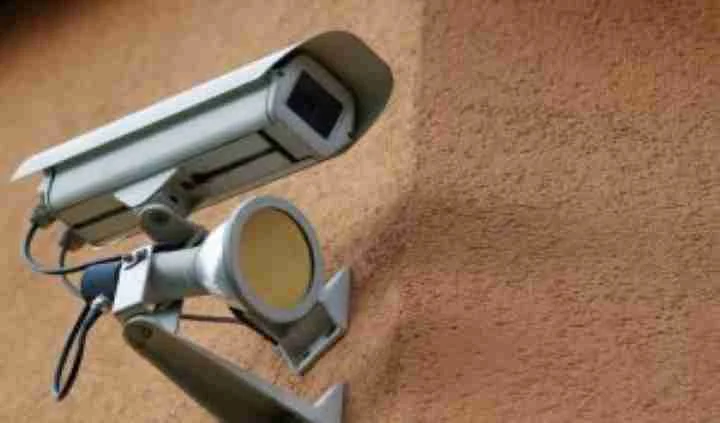
A camera can record an open door. It cannot close or lock it. That distinction is a useful starting point for a business security plan: give each measure a job and decide how the measures work together.
Cameras may discourage some unwanted behavior and can provide information about an event. Their effectiveness depends on the setting, coverage, operation and response. They should not be sold as a guarantee that theft, vandalism or other incidents will stop.
Begin with the ways people enter and leave
Walk the property at opening and closing time. Check how public, employee and delivery access is managed. Identify doors that are routinely propped open, poorly lit approaches and areas where valuable items wait unattended.
Fixing a routine access problem may be more useful than adding another wide camera view. Where appropriate, access control can help manage authorized entry, while cameras provide visual context. The two systems serve different purposes and need a clear operating procedure.
Do the same for physical barriers, key management and lighting. A camera plan should take these conditions into account instead of treating the building as an empty floor plan.
Give recording a specific purpose
Decide what you need to learn from footage. A delivery dispute may require a clear view of the handoff area. A repeated after-hours entry problem may require entrance coverage, accurate timestamps and a review of access permissions.
Use that purpose to select a view and recording approach. A visible camera that cannot produce useful footage creates a false impression of coverage. A dummy camera produces no evidence at all and cannot report its own failure to record.
If a property uses signs, make sure their wording reflects the actual operation. Do not imply continuous human monitoring when nobody is watching. The camera planning guide helps connect coverage to real tasks.
Decide who responds
A notification needs a recipient and a procedure. Define what staff should check, whom they should contact and when an incident needs outside assistance. Avoid informal expectations that employees will investigate or confront people alone.
If a third-party monitoring service is proposed, review its actual scope, hours and response arrangements. An app notification and a staffed monitoring service are different services. Neither should be assumed from the mere presence of cameras.
Preserve relevant footage promptly when an incident is reported. Keep a record of when it was exported and who received it. Our footage handling guide covers the operational decisions behind that process.
Check whether the plan still matches the property
Changes in tenants, opening hours, stock layout or parking arrangements can change the useful coverage. Revisit access permissions and camera views after those changes. Include recording tests in routine maintenance so a failed drive or shifted camera does not remain unnoticed.
Use incident information to improve the plan without jumping to conclusions. Footage may show part of an event, not the entire story. Combine it with relevant records and a fair review process rather than treating one angle as complete proof.
For an Upstate South Carolina business, Smart Control can discuss commercial security systems including cameras, access control and supporting low-voltage infrastructure. Start with the recurring problem and the site's operating routine. The resulting scope should make clear what each component contributes and what staff still need to do.